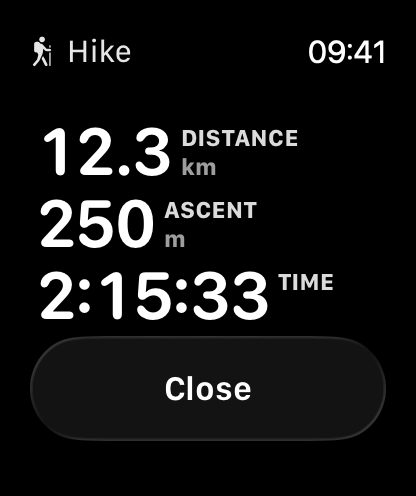
Apple Watch
Guru Maps runs on Apple Watch, so you can follow your route or record your activity without taking your iPhone out of your pocket. The idea is simple: your iPhone plans, your Watch follows and records.
Just like the rest of Guru Maps, the Watch app works fully offline, which makes it especially handy in remote areas with no signal.
Install the Watch app from the Apple Watch app on your iPhone, or from the App Store. Following a route works for everyone; standalone recording on the Watch is part of Guru Maps Pro.
Moving between screens
The Watch shows one screen at a time, stacked top to bottom. Swipe up and down to move through the stack; swipe left to reach the controls (pause and resume, finish recording, stop navigation, or start a recording on the Watch).
Which screens you see depends on what's happening, always from top to bottom:
- Recording an activity — Metrics, then Elevation profile.
- Following a route — Maneuver (the turn arrow), then Elevation profile.
- Following a route while recording — Maneuver, then Metrics, then Elevation profile.
The Watch opens on the most useful screen for the moment — the turn arrow when you're navigating, your metrics when you're recording — so you rarely need to swipe at all.
Follow a route from your wrist
Start navigation on your iPhone, and your Apple Watch automatically switches into navigation mode. You'll see the next maneuver as a large, clear arrow with the distance to the turn and the street name.
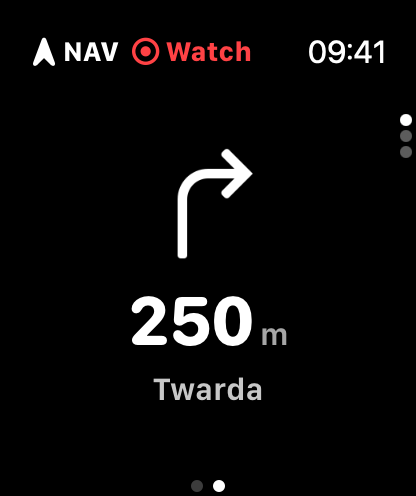
A glance tells you everything:
- A NAV badge shows navigation is active.
- If you wander off the planned route, an OFF warning appears so you can get back on track.
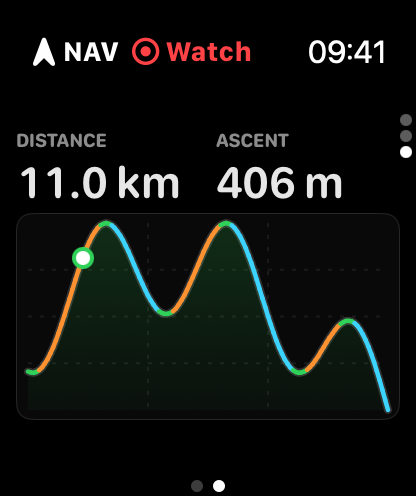
Swipe up to the elevation profile to see the shape of what's coming. A live cursor marks where you are on the route, with the remaining distance and total ascent shown right above the chart — so you always know whether the hard part is behind you or still ahead.
Record an activity
With a Guru Maps Pro subscription, you can record your activity directly on the Apple Watch — leaving the iPhone behind entirely. Pick how you're moving — Hike, Walk, Run, or Bike — and tap start.
The Watch records your GPS track and shows a live dashboard of the metrics that matter for your activity:
- Distance, Time, and Moving time
- Altitude, Ascent, and Max altitude
- Heart rate straight from the Apple Watch sensor
- Pace for hiking, walking, and running — or Speed and Average speed for biking
- Slope, Climb rate, and VAM (vertical ascent speed) for the climbers
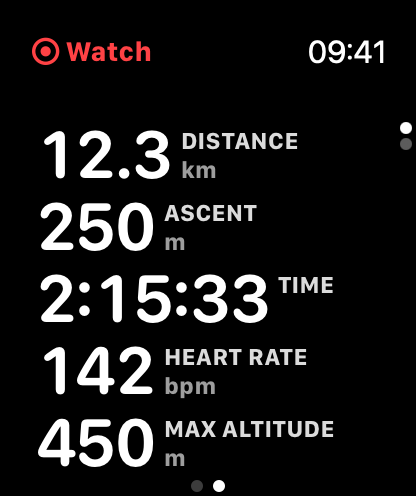
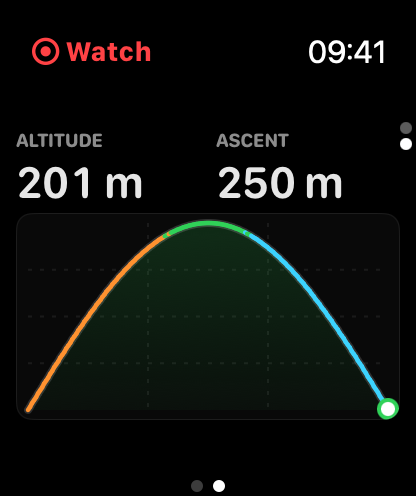
You can pause and resume anytime. A REC badge makes it obvious whether the recording is running on your Watch or your iPhone, and a GPS warning lets you know if the signal drops.
Saved and synced automatically
Your activity is saved as an Apple Health workout — complete with route, heart rate, and elevation — so it counts toward your activity rings.
When you finish, the recorded track syncs back to Guru Maps on your iPhone, where you can view the full track analysis: elevation, speed, and slope profiles, detailed statistics, and everything else. Long activities transfer in segments, so even multi-hour days come across reliably.