Hiking times that actually add up

· 3 min read
Evgen Bodunov
Founder of Guru Maps

A two-kilometer walk through a park and a two-kilometer climb up a mountain should not share the same clock. Until now, most routing engines gave them one anyway — and the result was always the same: the map says twenty minutes, the trail takes an hour.

Guru Maps now does better. Pedestrian directions account for the shape of the ground under your feet, so the estimated time reflects the climb ahead instead of an optimistic flat-walking pace. It's a big win for hiking, where the gap was largest — and every walking route benefits, right down to a hilly street across town.

Meet Guru Maps for Apple Watch

· 3 min read
Evgen Bodunov
Founder of Guru Maps

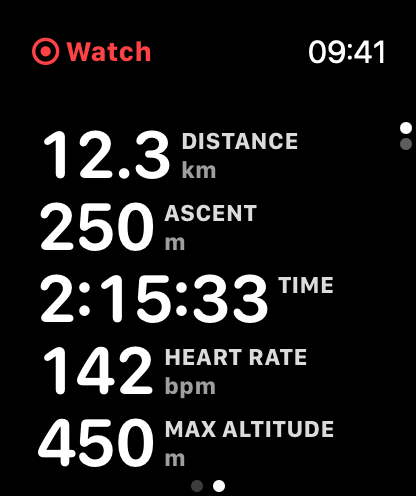
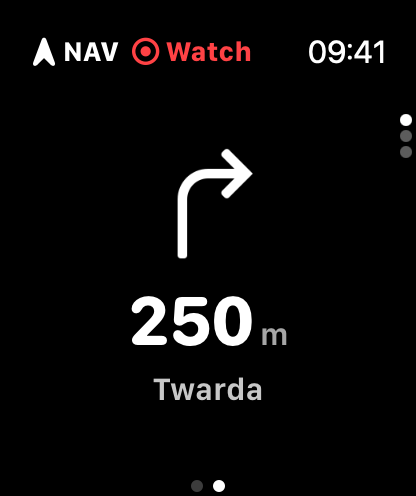
Guru Maps is now on Apple Watch! 🎉 Keep your iPhone in your pocket and follow your route or record your activity right from your wrist.

The idea is simple: your iPhone plans, your Watch follows and records. You pick a route or start an activity, and the Watch keeps the essentials in front of you — where to turn, how far to go, and how you're doing.

Live activity metrics on Guru Maps for Apple Watch Turn-by-turn directions on Guru Maps for Apple Watch

Gift codes for Universal License

· 2 min read
Yulia Musaeva
Product Manager at Guru Maps

You asked for more flexible ways to buy Guru Maps Pro, and now there is one. Starting today, you can buy gift codes for the Universal License right from your web profile — and hand them out to anyone you like.

No more sharing account credentials to equip a teammate. No more awkward workarounds to gift Pro to a friend. One purchase, however many codes you need, distributed your way.

Redeem gift code in Guru Maps

Online vector maps and ocean depths

· 2 min read
Yulia Musaeva
Product Manager at Guru Maps

With Guru Maps 6.1, you no longer need to download an entire region just to explore it in detail. Vector map data and elevation are now streamed directly to your device as you browse — open the map and start exploring right away.

What changed

Online raster maps have been part of Guru Maps for a while. In version 6.1, vector maps and elevation data work the same way — streamed over your internet connection and cached locally so repeated use stays fast.

In practice, this means crisp, detailed vector maps with no waiting for a region download to finish. Just open and go.

Opening hours

· 2 min read
Yulia Musaeva
Product Manager at Guru Maps

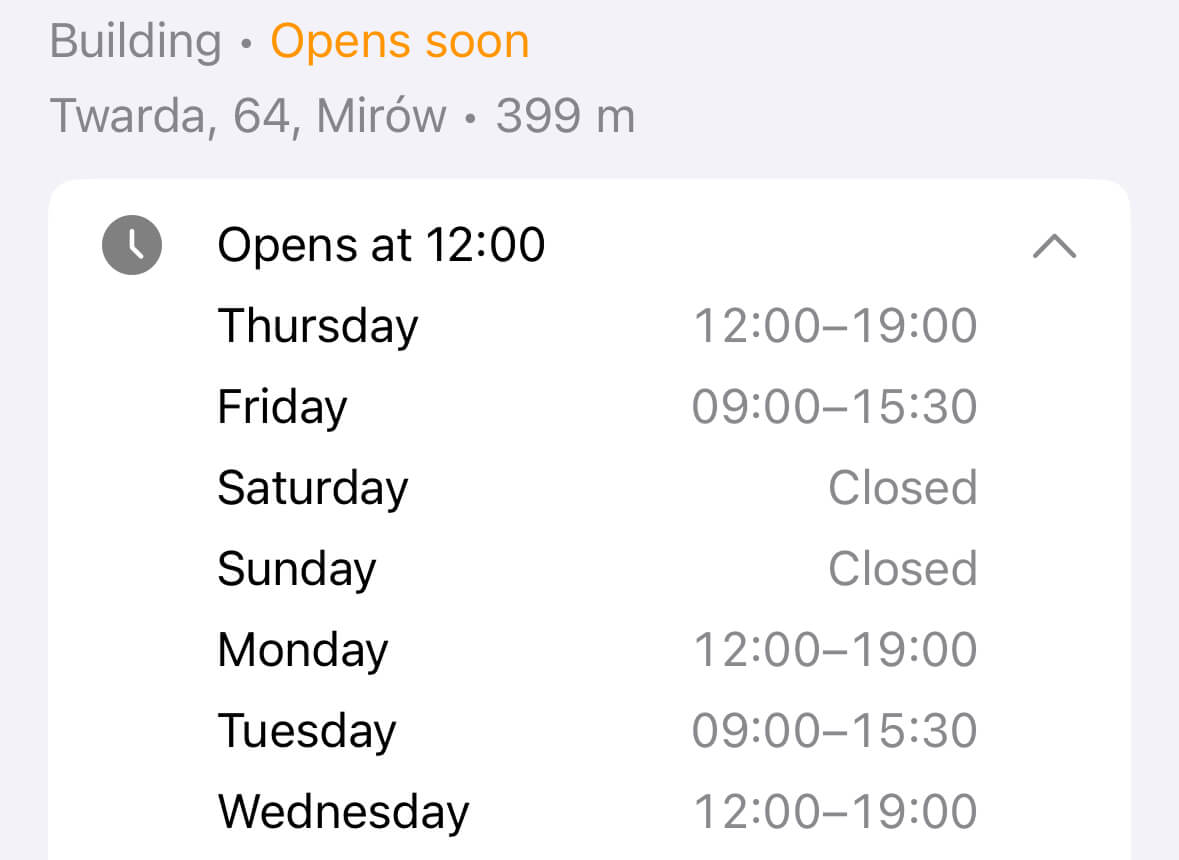
Opening hours are essential information when exploring places like shops, cafes, or restaurants. With the latest update, Guru Maps now shows opening hours for objects directly on the map — if they are available on OpenStreetMap.org.

You can instantly see whether a place is open or closed at the moment. Just tap on the object to expand and view the full opening schedule, all in one place.

Opening hours in Guru Maps

Riding the legend Dakar Rally

· 2 min read
Yulia Musaeva
Product Manager at Guru Maps

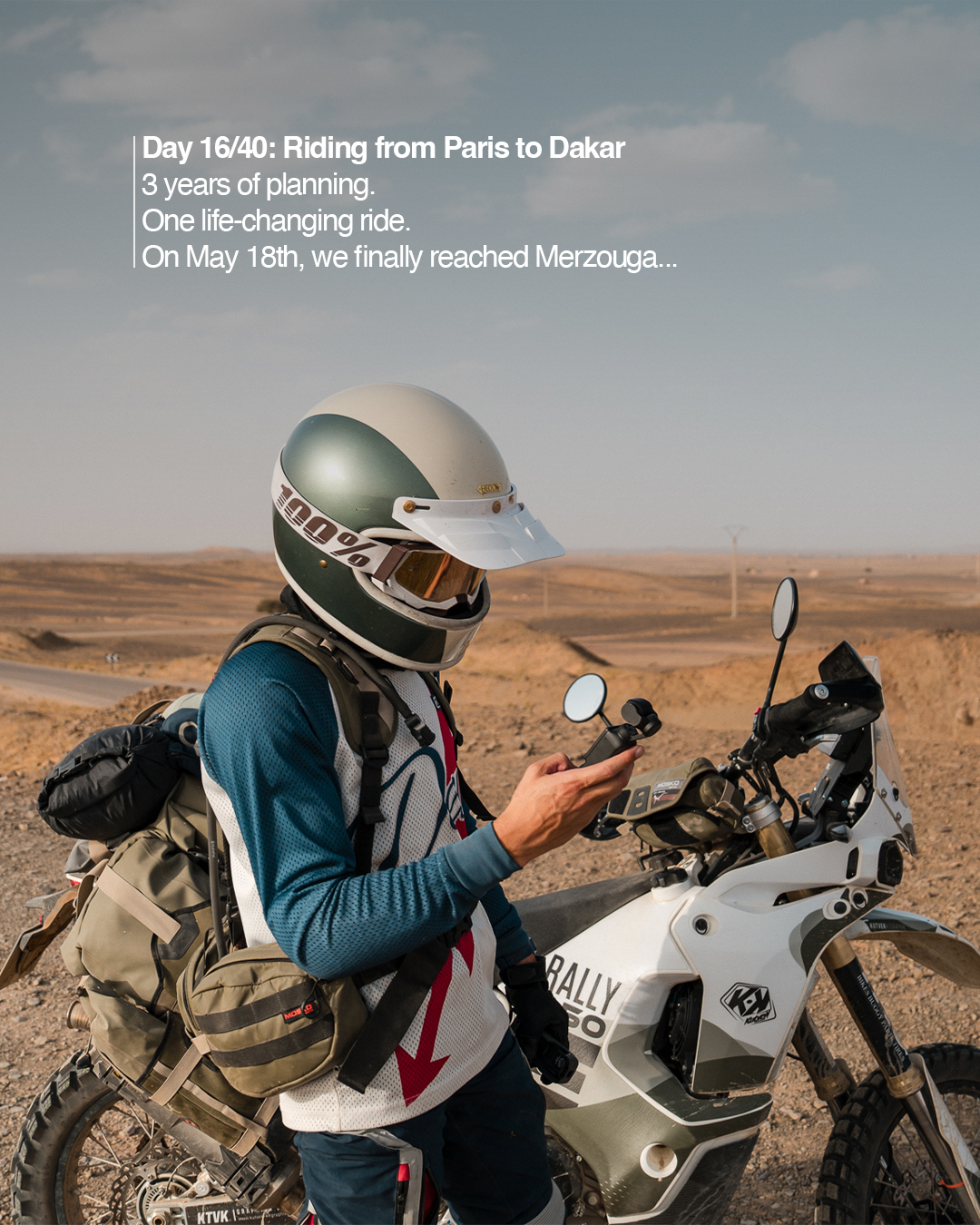
Meet Clément Lallemand — adventurer, storyteller, and motorcycle traveler — currently on an epic journey from Paris → Dakar → Paris, following the legendary tracks of the original Dakar Rally with Guru Maps.

Together with his friend, Clément set out to relive one of the most iconic overland routes in the world — pushing their skills, endurance, and curiosity to the limit. They’re tracing the dusty trails, mountain passes, and open roads that connect Europe to Africa, documenting every stage of the ride on Instagram.

Motorcycle with Guru Maps by @lallemand.clement

Why Guru Maps?

On many parts of the route, there’s no phone signal at all — that’s when offline maps really matter.

"For years, I struggled to find a map app that was both powerful and pleasant to use. Guru Maps is the first one that truly combines simplicity, reliability, and a clean design — it’s been a real pleasure to navigate with it throughout this adventure. Beyond that, Guru Maps supported this project from the beginning, which proves they’re not just another app on the market, but a brand that helps create real stories worth sharing."

Dakar Rally with Guru Maps by @lallemand.clement

With Guru Maps, Clément can:

  • load and follow GPX tracks inspired by the original Paris–Dakar route,
  • plan the next stage of the journey offline, without worrying about coverage,
  • mark waypoints for refueling, camping, and highlights,
  • track progress and share screenshots from the map with his followers.

The spirit of the road

From the streets of Paris to the deserts of Morocco, this journey celebrates what travel is really about: freedom, endurance, and discovery. It’s not about how fast you go, but how far you’re willing to push yourself — and how you find your way when the road disappears.

Guru Maps is happy to be part of this journey, helping Clément explore confidently wherever the road leads.

Follow the adventure

  • 👉 Follow him on Instagram: @lallemand.clement.

  • 👉 Tag @gurumaps.app if you’re riding with Guru Maps.

  • 👉 Launch the app and plan your own adventure today!

Recover deleted items

· 2 min read
Yulia Musaeva
Product Manager at Guru Maps

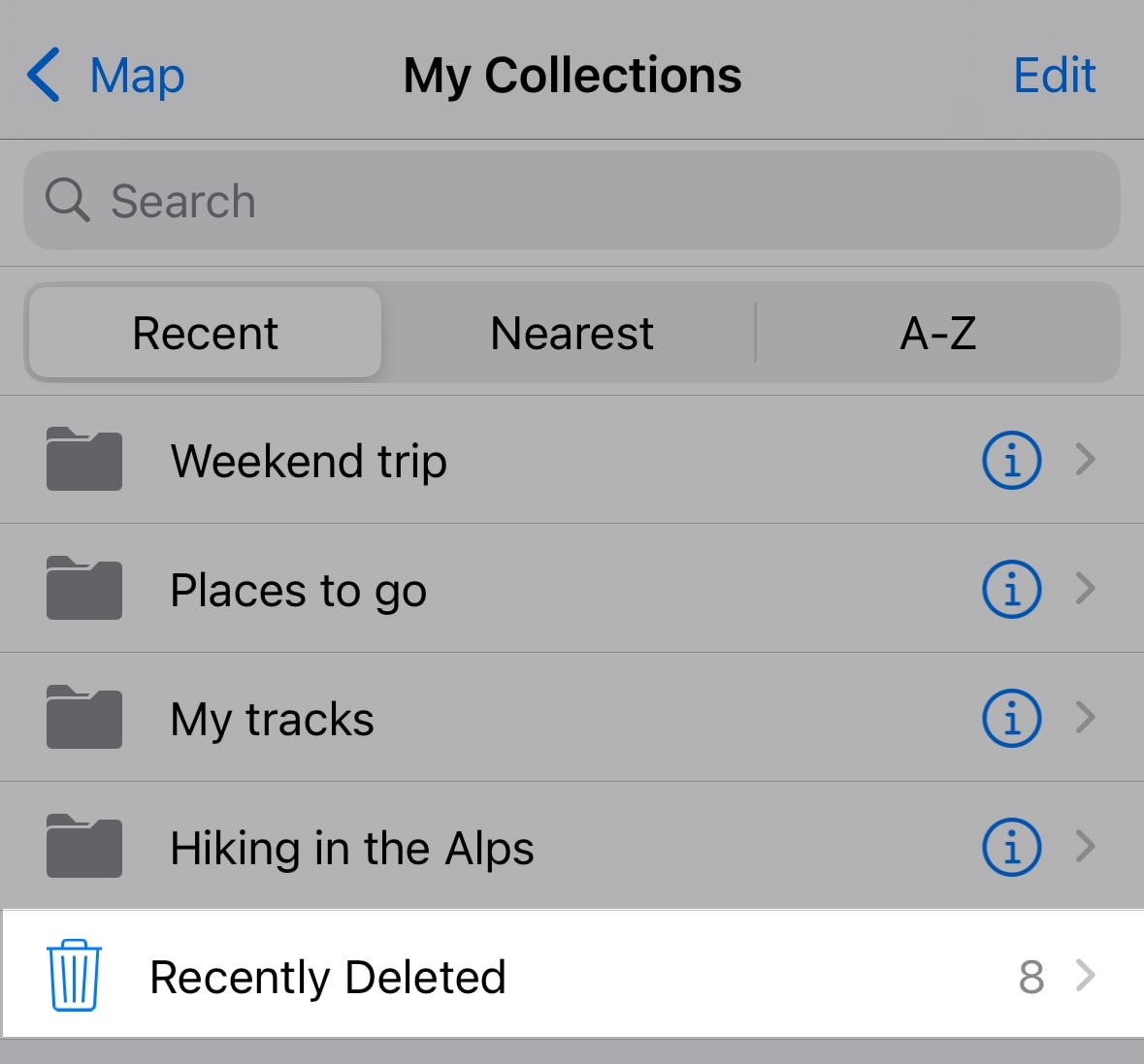
We’re excited to introduce a new feature in Guru Maps — the Recently Deleted folder!

Have you ever accidentally deleted a track, folder, pinned place, or route? Don’t worry — now those items aren’t lost forever. With this new feature, anything you delete is moved to a special folder where you can recover it if needed.

Recently Deleted in Guru Maps

Android Auto is here

· One min read
Yulia Musaeva
Product Manager at Guru Maps

Meet the Android Auto support in the latest Guru Maps update for Android! 🎉

You can now use Guru Maps right from your car’s dashboard. Search places, build routes, and access your favorite locations — all without picking up your phone.

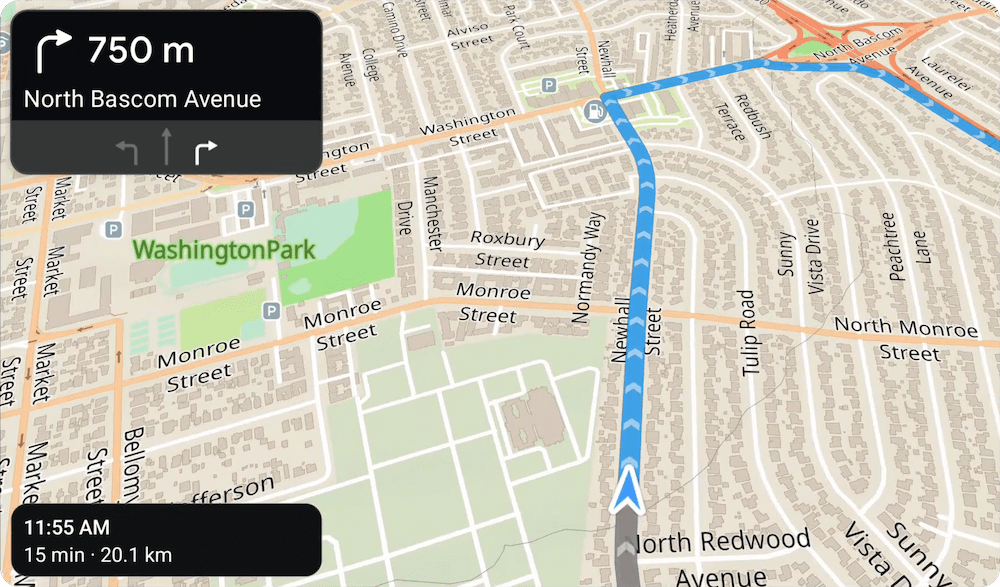
This works perfectly with our recently added lane guidance and perspective map view, which shows a clear visual path along your route. Together, they make both road trips and off-road adventures easier to follow.

Android Auto with Guru Maps

Lane guidance in Guru Maps

· 2 min read
Yulia Musaeva
Product Manager at Guru Maps

We’ve got some exciting news for all Guru Maps drivers — a new Lane Guidance feature has just rolled out to make navigation even more intuitive and stress-free.

Whether you're driving a car, riding a motorcycle, or behind the wheel of a truck, staying in the correct lane is now easier than ever. In navigation mode, Guru Maps now shows visual lane indicators on your screen to help you prepare for upcoming turns, exits, and complex intersections.

Lane Guidance in Guru Maps